![logo-kafene-black.svg]](https://knowledge.kafene.com/hubfs/logo-kafene-black.svg)
Once you have installed your WooCommerce Plugin you will be able to find the Merchant ID, Store ID and API token from the merchant portal.
1. Login to the merchant portal and find App Configurations.
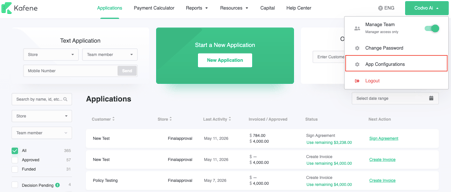
2. Select the store you want to configure, make sure the store you select has eCommerce in the name.
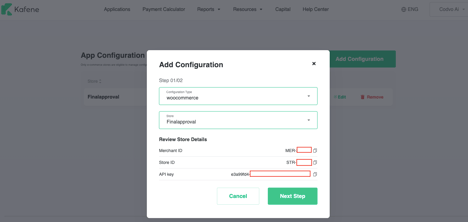
3. Copy the Merchant ID, Store ID and API Key and update your WooCommerce plugin.
Need Help? Email us at ecom@kafene.com